Setting up PostHog
For this site, I decided to install PostHog. I regret that I didn’t use the experimental PostHog AI Wizard. Instead, I did it the “old fashioned way” and copied and pasted the installation instructions for Astro implementation to Claude Code, which still worked great.
To put it simply, Claude Code added a universal tracking script to each page, and also set up event tracking on key events like upvote_toggled, search_performed, review_submitted, etc.
I have tried PostHog once about a year ago on my BiblePlan app and immediately switched to Umami because I found the dashboard overwhelming for my needs. Coming back to it over a year later, I still think the interface is too much for simple analytics tracking (it definitely is pushing you to add people to your team, integrate more tools, etc.). But like I said about Datafast in relation to Umami - Umami really needs to catch up and add options to add tracking with AI, make the docs more friendly, and make an official MCP.
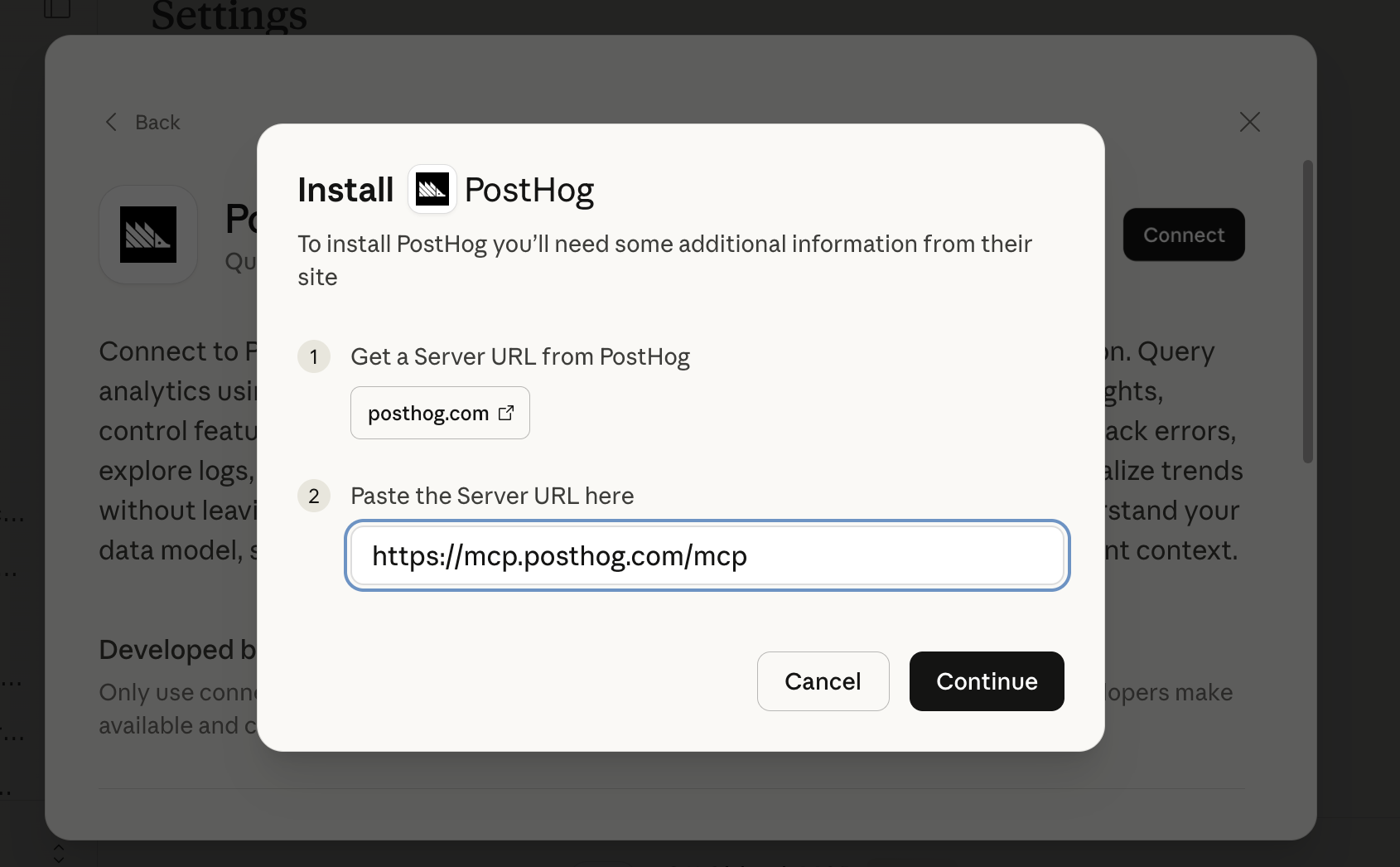
I chose PostHog for this site specifically because I wanted to try a generous free tier with an MCP server. I set up the Claude Connector. It wasn’t totally clear based on the PostHog documentation or the Claude documentation how to get this “server URL”. I asked the PostHog AI assistant in my dashboard and it actually gave me an incorrect URL, but after trying a few different things I figured it out:
So far, this site is too new to really get meaningful insights from PostHog, but by asking some questions in the MCP I was able to add a few tracking things I was missing, including filtering out my own traffic and adding page type to every page view.
Overall, the setup was easy, I’ve enjoyed using the MCP with Claude, and I’m looking forward to getting more traffic to have more data to analyze!